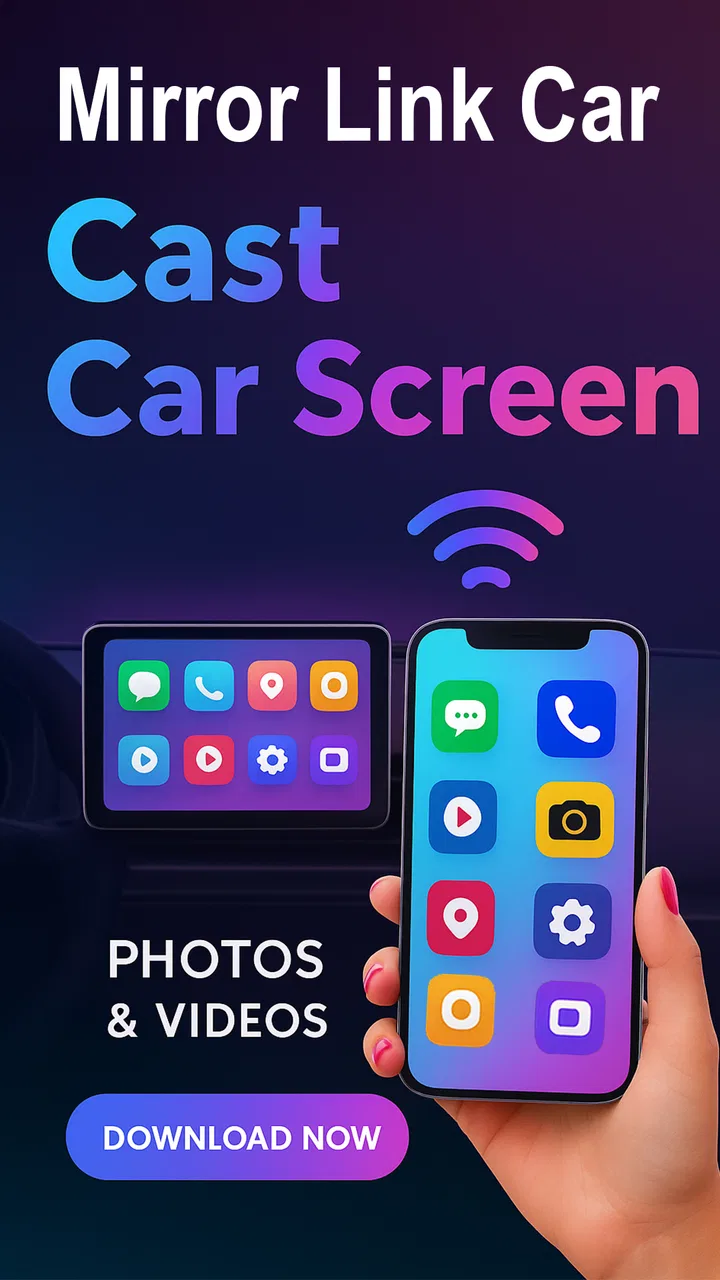
Mirror Link Cast to Car
- 3.4
- Rating
- 10.00K
- Installs
- Free
- Price
 Analysis by App-foxy
Mirror Link Cast to Car is the kind of app that sounds simple until you try to use it in a real vehicle. Its purpose is to mirror a phone display on a compatible car dashboard wirelessly, and that can be useful when the car’s built-in system does not offer the screen-sharing workflow you want. In my testing mindset, though, the important question is not only whether the picture appears. It is whether the phone, dashboard, wireless connection, and driving environment cooperate without turning a quick setup into a frustrating detour.
Developed by appsocean8, this free app sits in the libraries and demo area rather than presenting itself as a complete navigation or entertainment platform. That distinction matters. It is a bridge for displaying your phone screen, not a replacement for a car operating system. The current release is version 1.1.1, and the app is suitable for Everyone. It has passed ten thousand installs, while its average rating is 3.4 from roughly eighty ratings, so the reception is mixed rather than universally enthusiastic. I think that matches the nature of this type of tool: when the vehicle is compatible and the connection path is clear, it can be convenient; when one part of the chain is incompatible, the app may appear to do very little.
Where the real friction begins
The first trap is assuming that wireless screen mirroring works like pairing ordinary headphones. It usually does not. A car dashboard may support Bluetooth audio, phone calls, Android Auto, Apple CarPlay, a proprietary mirroring mode, or some combination of these without supporting generic wireless display casting. Seeing a wireless icon in the vehicle menu is not enough to prove that this app can use it.
You May Also Like

 Blood Strike: 2.5 Anniversary
Blood Strike’s Loadouts Turn Every Drop Into a Tactical Gamble
A close look at Blood Strike’s custom loadouts: how fast access to signature weapons reshapes its battle royale rhythm, rewards preparation, and narrows the gap between fights.

 Pandora - Music & Podcasts
Pandora’s Music Is Easy to Start, but Harder to Recover
Pandora’s strength is its low-effort path from a seed to a station. Its weak spot is how much confidence it asks you to place in connection, setup, and quiet recovery.

 8 Ball Pool
 Is Built on Rivalries, Rematches, and Routine
A close look at the rivalries, rematches, shared routines, and unanswered safety questions that turn a quick pool match into a persistent mobile community.

 Samsung Music
’s Quiet Strength Is Playing What You Already Own
Its reach comes less from spectacle than from dependable access to a personal library. That simplicity is both the app’s strongest retention engine and its ceiling.

 AccuWeather: Weather Radar
AccuWeather Review: A Quick, Clear Forecast for Everyday Decisions
For everyday plans, the best forecast is the one you can understand quickly. AccuWeather makes rain timing, radar, and local conditions easy to act on, with a few trade-offs.

 Hill Climb Racing
Why Hill Climb Racing Still Turns Crashes Into One More Run
A tiny car, a bumpy hill and one more upgrade: Hill Climb Racing keeps resurfacing because its simple chaos makes every near-miss feel personal.
More From Our News Desk
View All News


I would therefore treat compatibility as the main decision point, not as a small detail to check after installation. Mirror Link Cast to Car can only help when the phone and dashboard already share a display method they understand. If the vehicle accepts only a particular platform or cable-based connection, repeatedly tapping connect inside the app will not create support that the hardware and software do not have.
Another common sticking point is confusing a successful phone-to-car connection with a successful screen mirror. A phone can report that it is connected to the vehicle for calls or audio while the dashboard remains unchanged. That is not necessarily an app failure. It may simply mean that the active connection profile does not include display output. I found this distinction especially useful because it prevents wasting time adjusting unrelated Bluetooth settings.
The app’s short store description is simply “Mirror Link,” which leaves the practical workflow open to interpretation. I would not install it expecting a guided replacement for every manufacturer’s dashboard system. It is better understood as a focused experiment for users who already know their car can receive a mirrored phone display and want a wireless way to try it.
What to check before opening the app
Start with the car parked and the dashboard fully awake. Select the vehicle’s screen-sharing or mirroring area before launching the connection attempt on the phone. Some dashboards hide relevant options until the car is stationary, while others require the correct input source. If the dashboard is still showing radio, media, or a different projection mode, the phone may connect to the car without ever becoming the visible source.
On the phone, keep the display active during the first pairing attempt. A locked screen, battery-saving behavior, or a quick switch to another application can make a wireless session look unreliable even when the initial handshake worked. I also recommend closing other casting or projection tools temporarily. Two apps trying to claim the same display route can make troubleshooting confusing, particularly when Android presents several nearby-device or wireless-display choices.
Distance matters in a practical way. Keep the phone inside the front cabin rather than leaving it in a bag in the rear seat, and avoid beginning the first test while the vehicle is moving. This is not because the app is a navigation tool; it is because a stable first connection is easier to diagnose when the phone and dashboard are close and the driver is not dealing with road conditions.
Mirror Link Cast to Car requires Android 8.0 or later, so an older phone is immediately outside its supported starting point. On a compatible device, make sure the system is updated enough to expose its wireless display or projection controls. I would also restart both the phone and the dashboard before drawing conclusions. A restart sounds basic, but car interfaces often retain a failed projection session until the ignition cycle or system reboot clears it.
A setup routine that avoids false failures
My preferred order is deliberately boring. First, start the vehicle’s mirroring mode. Second, open the app on the phone. Third, accept only the connection prompts that clearly relate to the dashboard. Fourth, wait for the dashboard to change before switching away from the app. If the screen appears, test a simple, non-sensitive screen first rather than immediately opening a complex application.
This order gives each device a clear role. The car announces that it is ready to receive a display, while the phone initiates the mirror. Reversing those steps may still work, but it can also leave the dashboard waiting on a source that has already timed out. When a connection fails, repeat the same sequence once after restarting instead of changing several settings at once. Controlled repetition tells you more than random tapping.
Pay attention to the wording shown by the car. “Phone connected,” “media connected,” and “screen sharing active” are not interchangeable messages. If the dashboard confirms only the first two, I would investigate the vehicle’s projection mode rather than blaming the app. The same applies when the phone says it is casting but the car is still displaying its own home screen: the receiving input may not be selected.
Wireless projection can also be sensitive to the phone’s network state. I would leave Wi-Fi enabled during setup even if the connection appears to involve Bluetooth, because wireless display systems often use more than one radio path. Avoid switching between home Wi-Fi, a hotspot, and the vehicle’s own wireless network while pairing. A clean, stable connection is more valuable than trying to preserve every other wireless convenience at the same time.
There is also a safety boundary that should shape how this app is used. Mirroring a phone does not make every phone application appropriate for a dashboard. Small controls, scrolling pages, video playback, and notifications can be distracting, and a mirrored interface may not be optimized for driving. I would set up the connection before moving, use voice controls where the vehicle provides them, and avoid treating the dashboard as a second handheld phone.
Recovering a workflow after the picture disappears
When the mirror drops, the fastest recovery is usually to identify which part failed. If the car no longer lists the phone, return to the dashboard’s projection screen and start from there. If the car still lists the phone but shows its own interface, select the phone as the active display source. If the phone still appears connected while the image is frozen, close the app and begin a fresh session rather than leaving a stale connection running in the background.
I would avoid immediately uninstalling the app or clearing every phone setting. Those actions erase useful clues. Instead, disconnect the projection session, turn the dashboard’s wireless function off and on, then reopen the app. If that does not help, restart the phone and perform one clean pairing attempt. This staged approach is less disruptive and makes it easier to tell whether the problem is a temporary session failure or a deeper compatibility issue.
A useful everyday scenario is a passenger checking a phone-based map or showing a route to someone in the car. The passenger can prepare the screen while the vehicle is parked, confirm that the dashboard is displaying the intended source, and then leave the driver free to concentrate on the road. In that role, the app can be more convenient than repeatedly handing over the phone. It is less convincing when the driver expects to interact with a full phone interface while moving, because mirroring alone does not solve the safety and usability problems of small touch targets.
Another practical workflow is using the app for a short demonstration of a phone screen on a compatible dashboard. Because this is a libraries and demo-style utility, that use fits its identity better than expecting a polished, vehicle-specific infotainment experience. I would test the exact application you intend to show before relying on it. Some phone screens may rotate, resize, or respond differently once displayed on the car, and a successful connection does not guarantee that every app will feel comfortable at dashboard scale.
There is a trade-off between convenience and consistency here. A cable-based projection method may be less elegant, but it can be easier to understand because the physical connection identifies the source and often keeps the phone charging. A manufacturer-supported projection system may also provide better controls and a more predictable interface. Mirror Link Cast to Car is most appealing when wireless mirroring is genuinely supported and the user values avoiding a cable more than having a deeply integrated car experience.
When the app is not the cause
It is tempting to judge the app by the final image on the dashboard, but several outside factors can produce the same symptom. The car may support only wired projection. The phone may support one projection standard while the dashboard expects another. The vehicle’s firmware may restrict mirroring to a particular brand of phone or to selected applications. In each case, the app can be installed correctly and still be unable to complete the route.
The dashboard itself can be the weak link. Older car interfaces may have limited support for modern wireless display behavior, and some systems require a specific input screen to remain open. If another phone connects successfully using the same method, that points toward a phone-side compatibility or configuration issue. If no phone can mirror, I would focus on the vehicle’s system and documentation rather than repeatedly changing app settings.
The phone can also be responsible without being defective. Battery optimization may suspend the app after the screen dims. A work profile or security policy may restrict screen capture. A system overlay, recording tool, or another casting service may compete for control. I would test with those possible conflicts reduced, but I would not promise that every phone configuration can be made compatible. The most honest result may be that the vehicle and phone need a different projection method.
Privacy deserves a quick check as well. Screen mirroring sends whatever is visible on the phone to the dashboard, including notifications or private messages that appear unexpectedly. Before using it with passengers, I would enable a suitable notification mode and close sensitive screens. This is a practical consequence of mirroring rather than a special feature of the app, but it is easy to overlook when the initial goal is simply getting the picture to appear.
Performance expectations should remain modest. A mirrored phone display can feel less immediate than using the phone directly, and wireless conditions can affect responsiveness. I would not choose this app for tasks that demand precise timing or continuous interaction. For occasional viewing by a passenger, route preparation, or a quick demonstration, a little delay may be acceptable. For demanding control, a native car interface or a supported wired system is the safer choice.
What the cost and reception mean in practice
The app is free to install, which makes it reasonable to test when the car and phone already appear compatible. There are in-app purchases ranging from $4.49 to $5.99 per item, so I would explore the basic connection path before paying for anything. The key question is whether the dashboard can actually receive the mirrored display; no purchase should be treated as a substitute for that compatibility check.
The 3.4 average rating from around eighty ratings suggests that the experience is uneven. I would read that as a warning to keep expectations grounded, not as proof that the app is unusable. Wireless projection tools are unusually dependent on combinations of phone software, car hardware, dashboard firmware, and connection modes. A result that works smoothly for one vehicle may fail for another for reasons outside the app’s visible interface.
With more than ten thousand installs, it is not an unknown experiment, but it is also not something I would assume has universal coverage. The developer is appsocean8, and the release is still relatively focused in purpose: it attempts to get a phone display onto a compatible car screen. That narrow role can be a strength because there is less clutter, but it also means users looking for navigation, media management, or deep vehicle controls should look toward dedicated alternatives.
My practical verdict for different drivers
I would recommend Mirror Link Cast to Car to someone who has a compatible wireless mirroring receiver, wants to avoid a cable, and is comfortable performing a few setup checks. It is especially worth trying when the vehicle already exposes a clear screen-sharing mode and the phone runs Android 8.0 or newer. In that situation, the free entry point makes testing low risk, provided the user treats the first session as a compatibility check rather than a guaranteed installation.
I would skip it if the car supports only Android Auto or Apple CarPlay and does not offer generic screen mirroring. I would also choose a manufacturer-supported solution when the main need is dependable navigation, steering-wheel control, voice interaction, or an interface designed specifically for driving. A cable-based option may be better when connection stability and charging matter more than wireless convenience.
My strongest advice is to test the complete chain while parked: dashboard mode, phone connection, visible image, screen orientation, and the particular app you plan to use. If the image appears but the interaction is awkward, that is valuable information too. The app may be technically working while still being the wrong tool for your daily routine.
Overall, I see Mirror Link Cast to Car as a useful compatibility-dependent utility rather than a universal car upgrade. Its best moment is a simple one: the passenger’s phone connects, the dashboard shows the intended screen, and nobody has to hunt for a cable. Its weakest moment is the unclear failure, where Bluetooth appears connected but display mirroring never starts. If you understand that boundary, follow a clean setup sequence, and keep safety ahead of convenience, this app is worth a careful trial. If you need guaranteed integration, choose the projection method your vehicle officially supports instead.
FAQs for Mirror Link Cast to Car
01What is Mirror Link Cast to Car and how does it work?
Mirror Link Cast to Car is an app that allows you to project your smartphone's screen onto your car's infotainment system. It works by connecting your phone to your car via a USB cable or Bluetooth, providing a mirrored interface where you can access apps, navigation, music, and more directly from your car's display.
02Is Mirror Link Cast to Car compatible with all vehicles?
Mirror Link Cast to Car generally works with vehicles that have MirrorLink-enabled infotainment systems. However, compatibility can vary based on your car's make and model, as well as your smartphone's operating system. It's advisable to check your car's manual or the app's compatibility list to ensure it will work with your specific setup.
03Does Mirror Link Cast to Car support all smartphone apps?
While Mirror Link Cast to Car supports a wide range of apps, not all apps may function optimally. The app is designed to work with popular navigation, music, and communication apps, but certain apps might have limitations or may not display as intended. It's best to test the app with your preferred applications to see how they perform.
04Is using Mirror Link Cast to Car safe while driving?
Safety is a priority, and using Mirror Link Cast to Car should be done responsibly. The app is intended to minimize distractions by projecting a user-friendly interface. However, it's crucial to use voice commands and limit interaction with the display while driving. Always prioritize safe driving practices when using the app.
05What are the primary benefits of using Mirror Link Cast to Car?
The primary benefits of using Mirror Link Cast to Car include seamless access to your smartphone's features directly from your car's infotainment system. It enhances convenience by allowing you to use navigation, music, and calls without handling your phone. This integration can make your driving experience more enjoyable and efficient.
Pros
- Seamless phone-to-car screen mirroring.
- Supports a wide range of car models.
- Easy setup with user-friendly interface.
- High-quality video streaming.
- Allows control from car's dashboard.
Cons
- Limited compatibility with older phone models.
- May drain phone battery quickly.
- Requires stable internet connection.
- Some features may lag on lower-end devices.
- Occasional connectivity issues reported.

Mirror Link Cast to Car
Gallery